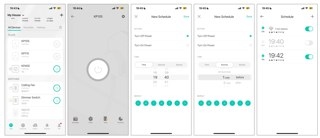
How to Configure Kasa Schedules, Away Mode and Timers
Use the Kasa app to schedule plugs, bulbs and switches, simulate occupancy with Away Mode, or set countdown timers. Smart Actions also let you schedule several devices together or automatically switch a plug off after it turns on.
Five Ways to Troubleshoot an Unresponsive Amazon Smart Plug
If your Amazon Smart Plug stops responding or will not complete setup, work through updates, setup checks, outlet power, and router troubleshooting. Use a factory reset only after the other fixes fail.
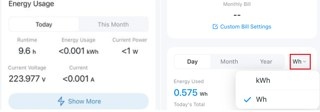
Using Tapo Energy Monitoring: Usage Charts, Billing, and Power Protection
Learn how Tapo energy monitoring displays live power, tracks consumption, estimates bills, and exports data. The guide also explains billing options and configurable overload protection.
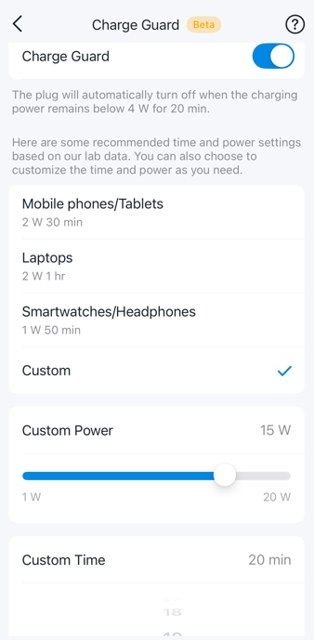
Tapo Smart Plugs Explained: Compatibility, Controls, and Troubleshooting
Find answers about Tapo P100, P105, P110, and P115 features, network requirements, app controls, and energy monitoring. Learn about scheduling limits, Charge Guard, and where to seek troubleshooting help.
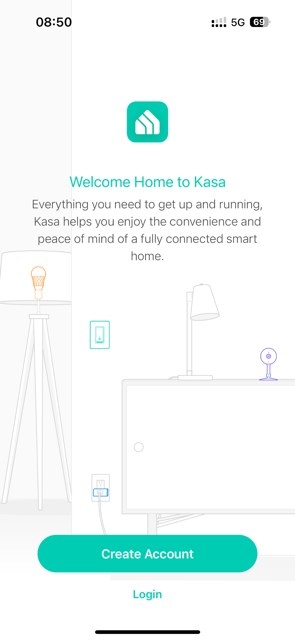
Connect a Kasa Smart Plug to Wi-Fi With the Kasa App
Set up a TP-Link Kasa smart plug on a 2.4 GHz home network using the Kasa app. This walkthrough covers Android and iOS connections, device settings, and setup troubleshooting.

Four Home Lighting Ideas for the Kasa KL430 Multicolor Light Strip
Use the Kasa Smart Multicolor Light Strip (KL430) for dinner ambiance, practical cabinet lighting, seasonal decorations or scheduled wake-up scenes. Its color zones, adjustable white light and saved effects support both decorative and everyday uses.
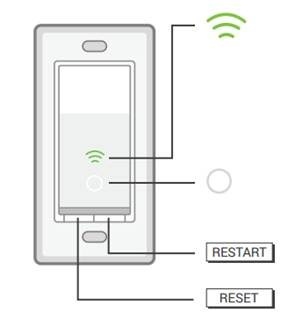
Kasa HS200 LED Indicators and Restart or Reset Instructions
Learn what the Kasa HS200’s Wi-Fi and locator lights indicate, and how to restart it, enter App-Config mode or perform a factory reset. A factory reset clears settings but does not unlink the cloud account.
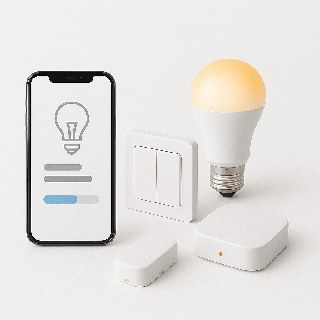
Choosing Smart Lighting: Bulbs, Wall Switches or Hidden Modules?
Smart bulbs, switches and modules offer different balances of color control, installation effort and everyday usability. Compare their strengths, wiring requirements and limitations, including Z-Wave, Zigbee and Wi-Fi considerations.
Set Up a Tapo Smart Bulb with the Tapo App
Connect your Tapo smart bulb to home Wi-Fi through the Tapo app, then customize its name, location and icon. Setup may use Bluetooth or the bulb’s Wi-Fi network, depending on the model.
How Tapo Auto White Works and How to Enable It
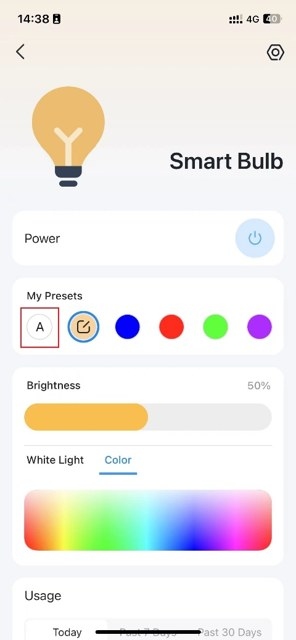
Auto White adjusts Tapo multicolor bulbs according to local time. Its Auto Match and Auto Compensate modes provide different lighting schedules for indoor use, corridors and outdoor areas.

