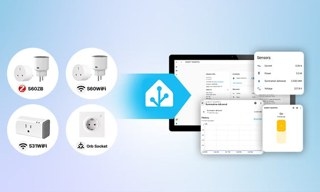
Tapo smart plugs provide app-based automation and control, plus voice commands through Alexa or Google Home. These answers cover the Tapo P100, P105, P110, and P115, including their requirements and limitations.
Basic Information
How do the models differ?
The Tapo P110 and P115 include energy monitoring; the P100 and P105 do not. The P105 and P115 have mini-sized designs, while the P100 and P110 are standard-sized. Available models are listed at https://www.tp-link.com/home-networking/smart-plug/. Use TP-Link's website comparison tool to compare them.
Which routers are compatible?
Any wireless router supporting 2.4 GHz can work with a Tapo smart plug.
Where can I view energy consumption?
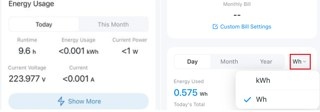
For supported models, consult the guide Where to check the energy usage of energy monitoring-supported Tapo plug.
Which apps and voice assistants work?
Supported apps include Tapo, Alexa, and Google Home. Complete initial configuration in Tapo before connecting the plug to Alexa or Google Home. Both assistants support voice control.
After setup and association with Alexa, you can uninstall Tapo and operate the plug solely through Alexa. However, not all plug features will remain available.
Can the plug join a captive portal network?
No. Supported wireless security types are limited to WPA-PSK, WPA2-PSK, and WPA3.
Is remote control available?
Yes, provided the plug has a working internet connection.
What happens when I replace my router?
There are two ways to reconnect:
- Hold the button for 10 seconds to reset the plug and repeat setup, or hold it for 5 seconds to enter configuration mode and join a new network.
- Give the new wireless network the old network's name and password to avoid starting setup again. The plug identifies a network by its SSID, security type, and password.
Does control work without internet access?
The Tapo app can control the plug over your local network without internet. Local Smart Actions, however, require a hub.
Can I use the plug outdoors?
No. Tapo smart plugs are neither waterproof nor dustproof and are unsuitable for outdoor use.
Can I tell whether a washing machine is running?
With Tapo P110/P115, energy-monitoring data can help determine whether the washing machine is still in use.
What scheduling limits apply?
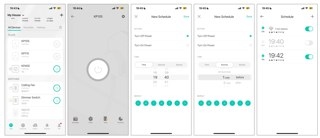
Each plug supports up to 32 schedules. See Common Questions about Schedule, Timer and Away mode of Smart Home Devices for more information. The plug cannot repeatedly switch on and off at intervals of around 5/10/30/60 seconds throughout a full 24 hours.
Can several phones control the same plug?
Yes. Share the device with family members, or sign in to the Tapo app on multiple phones using the same TP-Link ID.
Can I export Tapo P110/P115 energy data?
Yes, through the Tapo app. Feature 8 in Tapo Smart Plug Energy Monitoring: How to Use Every Feature explains this option.
Can I connect a power strip?
Yes. A connected power strip can be controlled in Tapo or by voice through Amazon Alexa or Google Assistant. The devices' combined load must remain within the smart plug's rated amperage and wattage.
What does Charge Guard do?
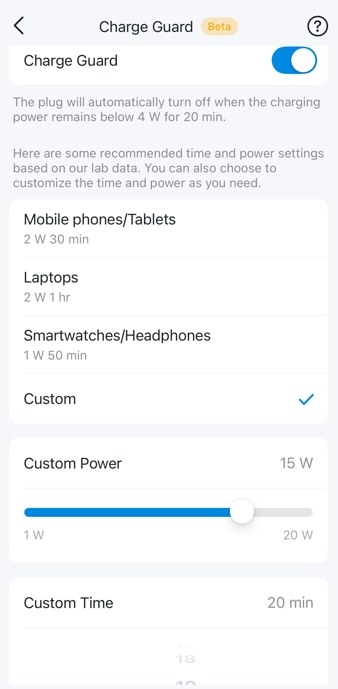
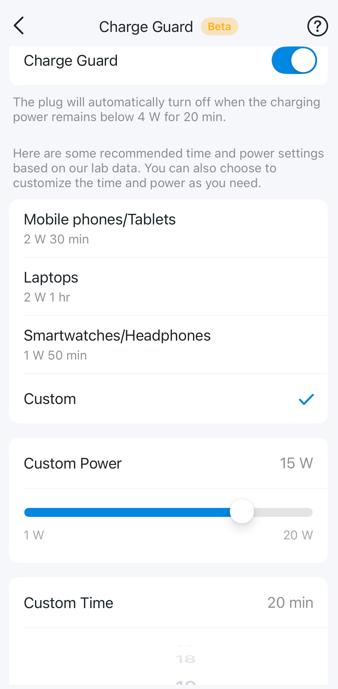
Charge Guard estimates when a connected device is fully charged and then cuts power to it, helping reduce battery aging and extend battery life.
Open Device Settings > Charge Guard on the plug, then choose a preset or customize the power and time.
Troubleshooting Resources
- Configuration fails: Consult What if I fail to configure the Tapo Smart Plug.
- The plug repeatedly appears offline: Consult Troubleshooting Guide: Tapo Camera, Doorbell, or Smart Device Going Offline.
- Alexa/Google Home cannot control the plug: Consult Cannot make TP-Link smart devices work with Google Home.