Connect a Kasa Smart Plug to Wi-Fi With the Kasa App
Set up a TP-Link Kasa smart plug on a 2.4 GHz home network using the Kasa app. This walkthrough covers Android and iOS connections, device settings, and setup troubleshooting.
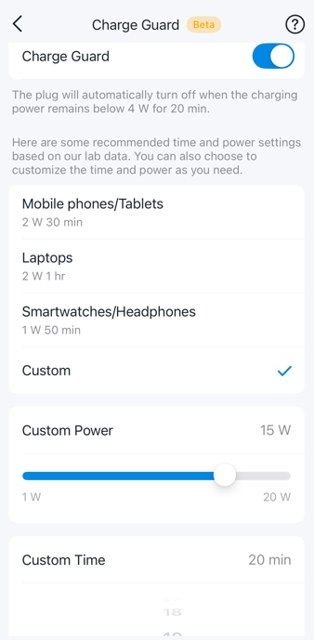
Tapo Smart Plugs Explained: Compatibility, Controls, and Troubleshooting
Find answers about Tapo P100, P105, P110, and P115 features, network requirements, app controls, and energy monitoring. Learn about scheduling limits, Charge Guard, and where to seek troubleshooting help.
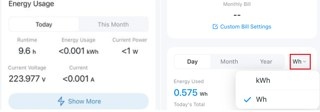
Using Tapo Energy Monitoring: Usage Charts, Billing, and Power Protection
Learn how Tapo energy monitoring displays live power, tracks consumption, estimates bills, and exports data. The guide also explains billing options and configurable overload protection.
Five Ways to Troubleshoot an Unresponsive Amazon Smart Plug
If your Amazon Smart Plug stops responding or will not complete setup, work through updates, setup checks, outlet power, and router troubleshooting. Use a factory reset only after the other fixes fail.
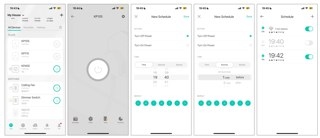
How to Configure Kasa Schedules, Away Mode and Timers
Use the Kasa app to schedule plugs, bulbs and switches, simulate occupancy with Away Mode, or set countdown timers. Smart Actions also let you schedule several devices together or automatically switch a plug off after it turns on.
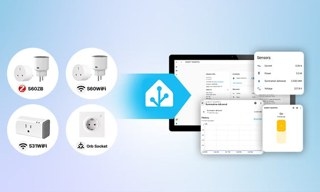
Using Energy-Monitoring Smart Plugs with Home Assistant
Energy-monitoring plugs give Home Assistant power and energy data for usage tracking and appliance-based automations. This guide explains selection criteria, SONOFF options, Zigbee, Matter and Wi-Fi setup, and practical automation ideas with safety limits.

