Energy-monitoring Tapo smart plugs, including the Tapo P110 and P115, track live power draw and usage history, estimate electricity costs, and protect connected devices against overloads. These tools help you understand consumption and reduce electricity costs. For the Tapo P110 or P115, firmware version 1.1.2 or newer and Tapo app version 2.10.x or newer are required.
Eight Energy-Monitoring Features
Feature 1. Read the Energy Dashboard
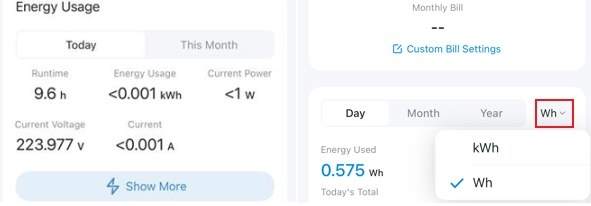
- Power consumption of Today: Shows consumption from 0:00 to the current time.
- Power consumption of Past 30 Days: Totals usage over the previous 30 days.
- Current power: Updates the live power reading every 5 seconds.
- Energy Measurement to 0.001 kWh: Provides additional decimal precision to 0.001Kwh (1W) for more accurate energy data.
- Energy unit switching: Lets you display kWh or Wh, depending on the model.
- Current Voltage & Current: Shows the connected device's voltage and current on supported models.
Feature 2. Compare Usage and Power Over Time
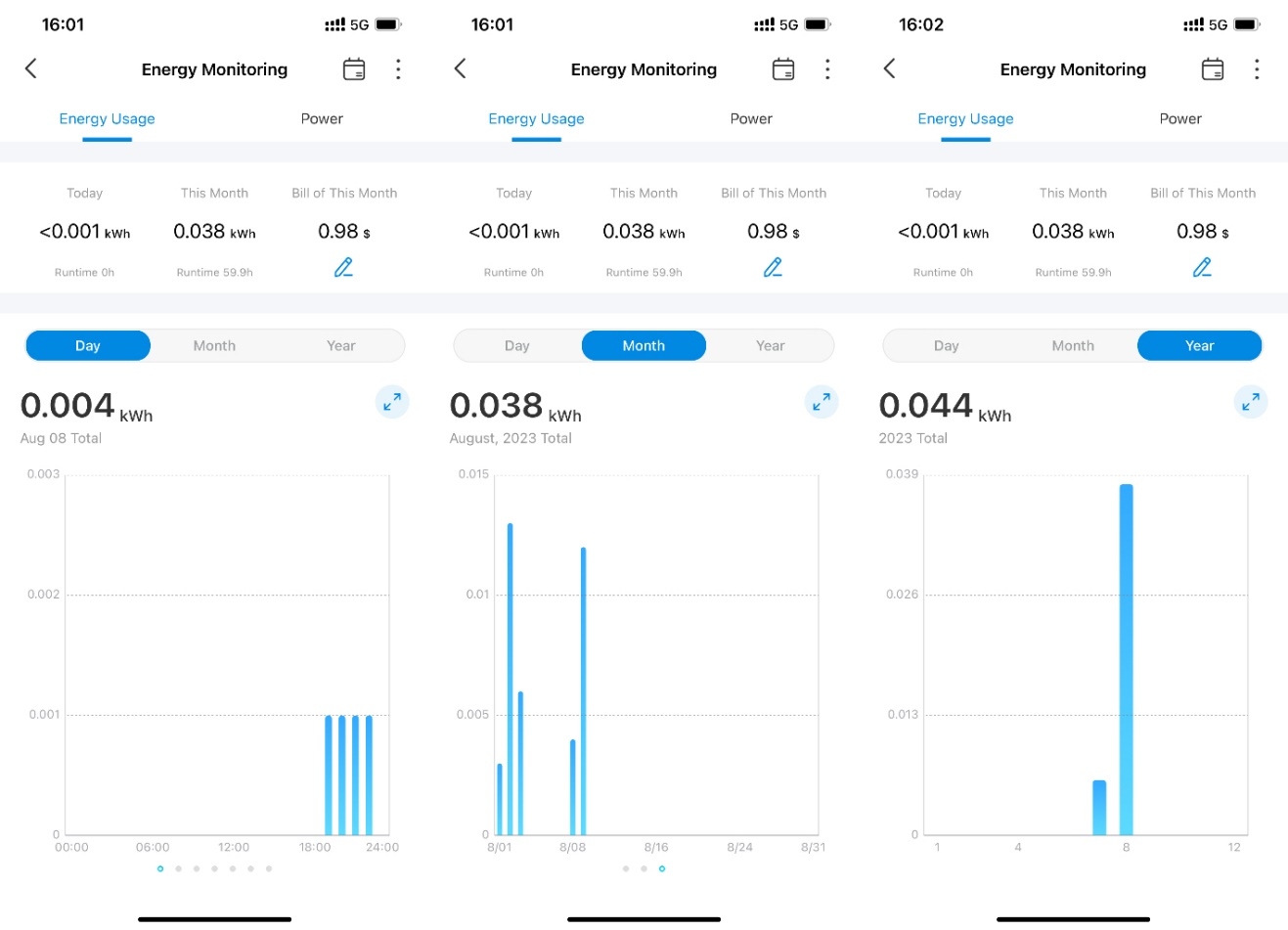
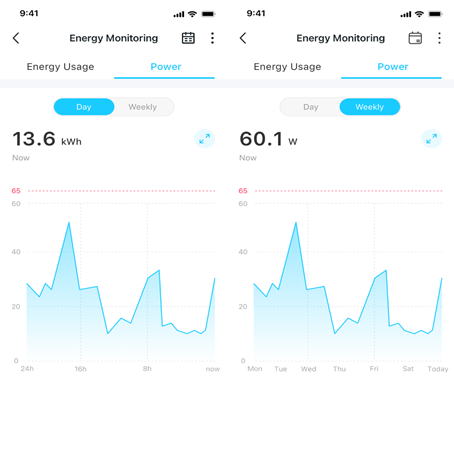
Graphs reveal when appliances draw the most power and how consumption changes. A calendar view is also available.
Energy Usage Graph
- Day: Covers the past 7 days, with a minimum interval of one hour.
- Month: Covers the past 3 months, with a minimum interval of one day.
- Year: Covers the past 12 months, with a minimum interval of one month.
Power Graph
- Day: Shows power readings for the past 24 hours at a minimum interval of 5 minutes.
- Week: Shows readings for the past 7 days at a minimum interval of 1 hour.
Feature 3. Review the Energy Calendar
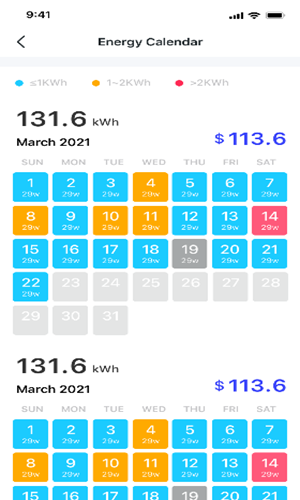
The calendar presents daily consumption for the past 3 months alongside the monthly electric bill. Blue, orange, and red indicate lower, average, and higher consumption, respectively.
Feature 4. Estimate Electricity Bills
The Electric Bill Calculator shows accumulated costs for the past 30 days. Enter your electricity rate to estimate the cost of running each connected device, using either Singular Billing or Periodic Billing.
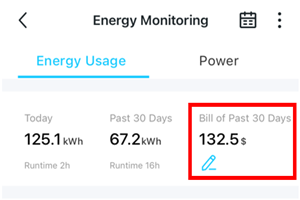
The default price unit matches the Tapo Care subscription unit. Electric Bill figures are estimates for reference only; actual charges depend on your electricity company.
Feature 5. Configure Fixed-Rate Billing
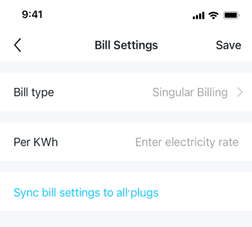
Choose Singular billing for a plan with an unchanged price per kilowatt-hour (kWh).
The calculation is: bill of this month = (electricity rate per kWh) x (total energy consumption of this month).
Feature 6. Configure Variable-Rate Billing
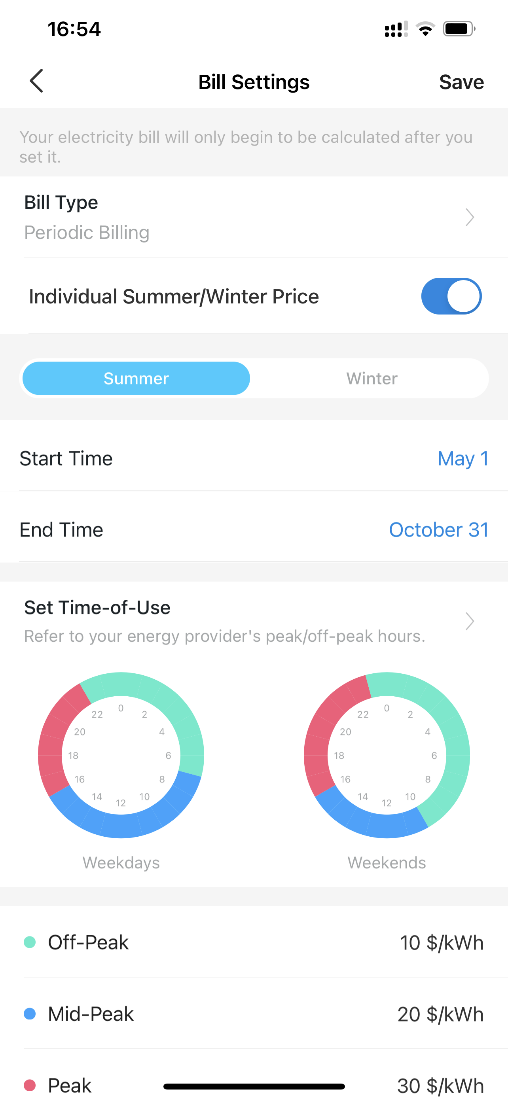
Choose Periodic billing when the price per kilowatt-hour (kWh) changes during the day or across seasons. Rates can vary by Winter and Summer, Workday and weekend, or Peak/Mid and Peak/Off-peak hours.
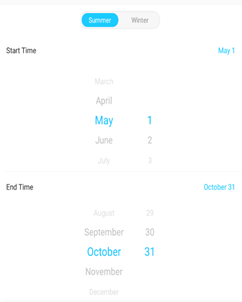
Seasonal Rates
- Summer (customizable): May 1st – Oct. 31st
- Winter (customizable): Nov. 1st – April 30th
Workday and Weekend Rates
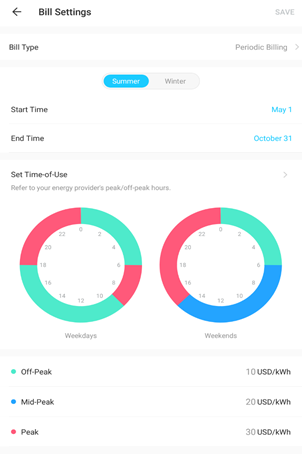
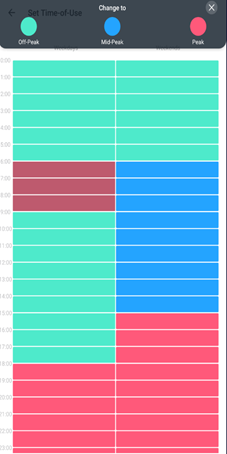
Each day has three periods: off-peak, mid-peak, and peak.
The calculation is: bill of this month = (peak hours x peak hour price) + (mid-peak hour x mid-peak hour price) + (off-peak hours x off-peak price).
Feature 7. Set Power Protection
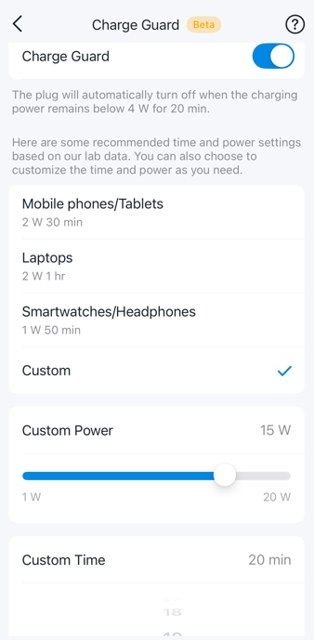
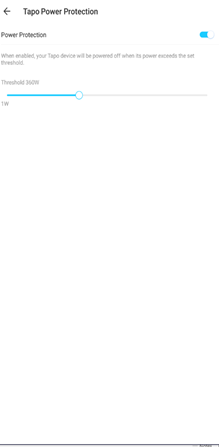
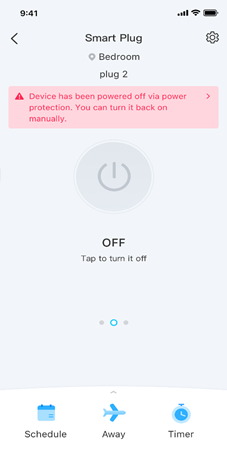
Configure Auto Power Off to shut down the connected device when its power exceeds your chosen threshold. The plug checks power every 5 seconds and shuts off after 10 consecutive readings above that threshold. This protects electronics and prevents overload-related fire hazards.
Drag the scroll bar left or right to adjust the threshold. The adjustable range is 1W-3670W, with a minimum adjustment unit of 10W. When an overload triggers shutdown, the plug also sends a push notification to your mobile device.
Feature 8. Clear or Export Usage Records
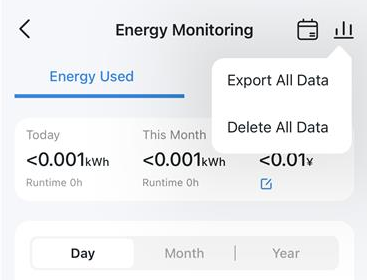
- Delete Energy Usage Data: Reset energy records to zero in the app without performing a factory reset.
- Export All Energy Usage Data: Save power records locally for record-keeping or further analysis.
Further discussion is available in the forum article Tapo Plug Energy Monitoring 2.0 Update.