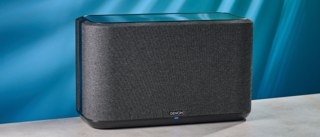
You can supplement the Tapo Doorbell’s built-in ringer with additional chimes to hear doorbell alerts throughout your home. Options include a Tapo Chime or Tapo Hub paired in the Tapo app, or an Alexa Echo or Google Assistant speaker or display configured through its own platform.
Before beginning, make sure your Tapo devices are successfully set up and connected to the Internet.
Connect a Tapo Chime or Tapo Hub
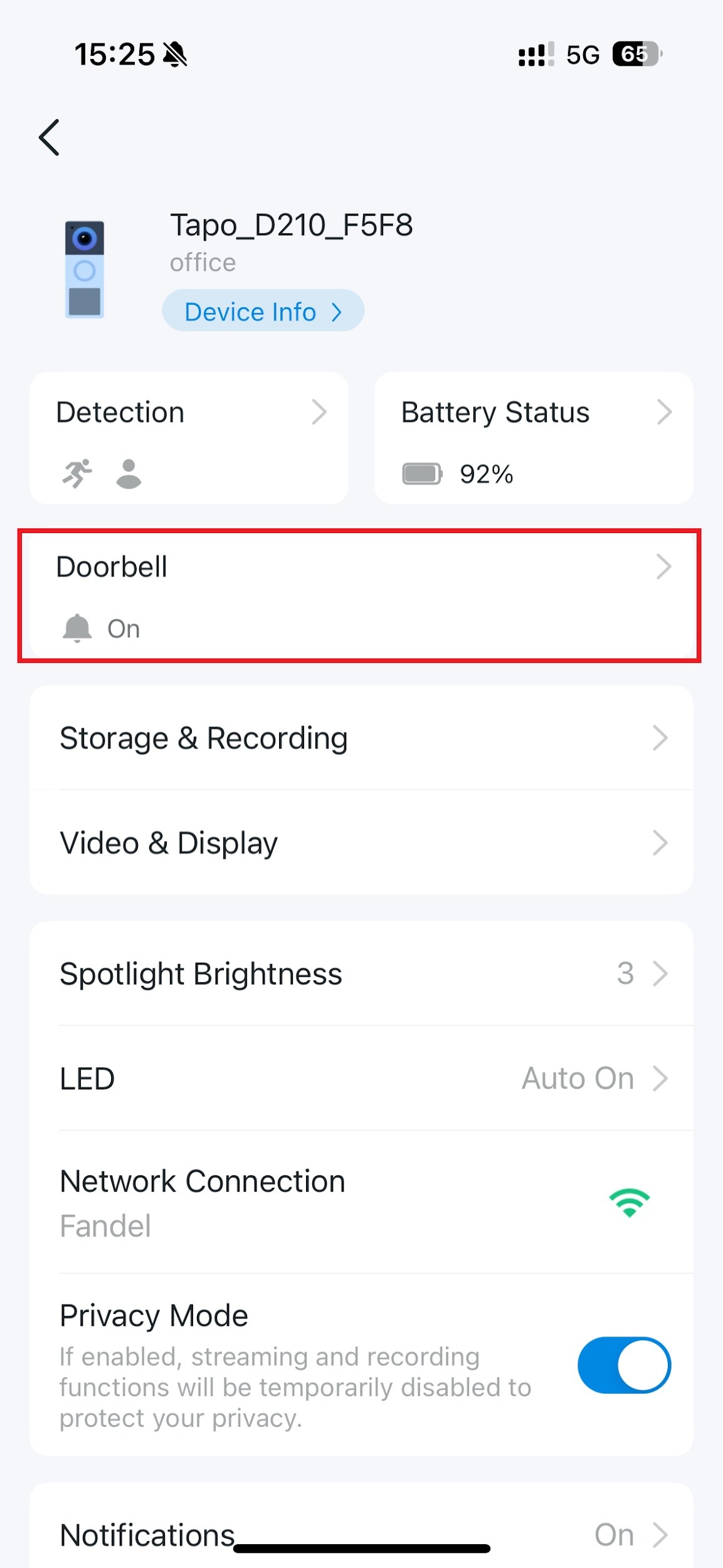
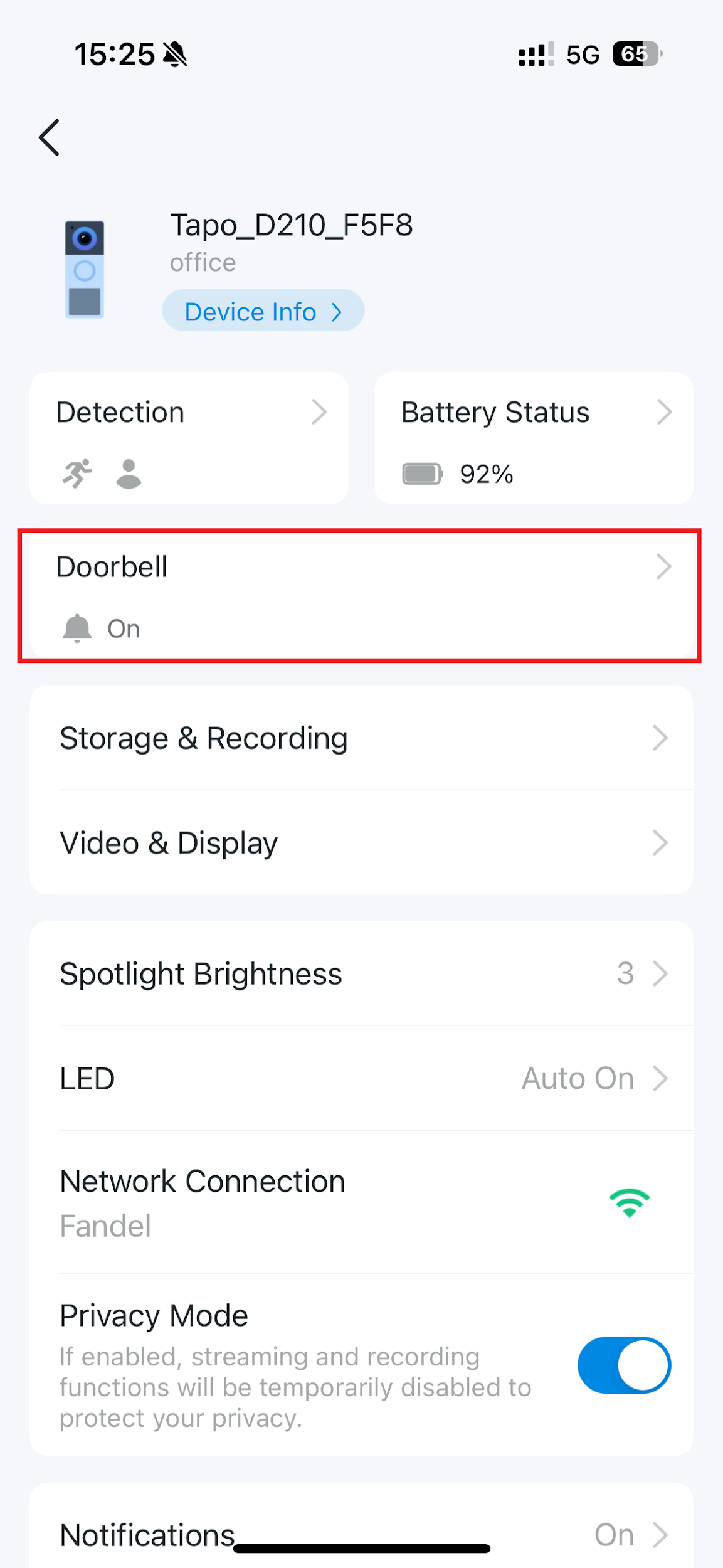
- From the Tapo app Home page, select your doorbell’s device card to open its live view.
- Use the gear icon in the upper-right corner of the live view to open Device Settings.
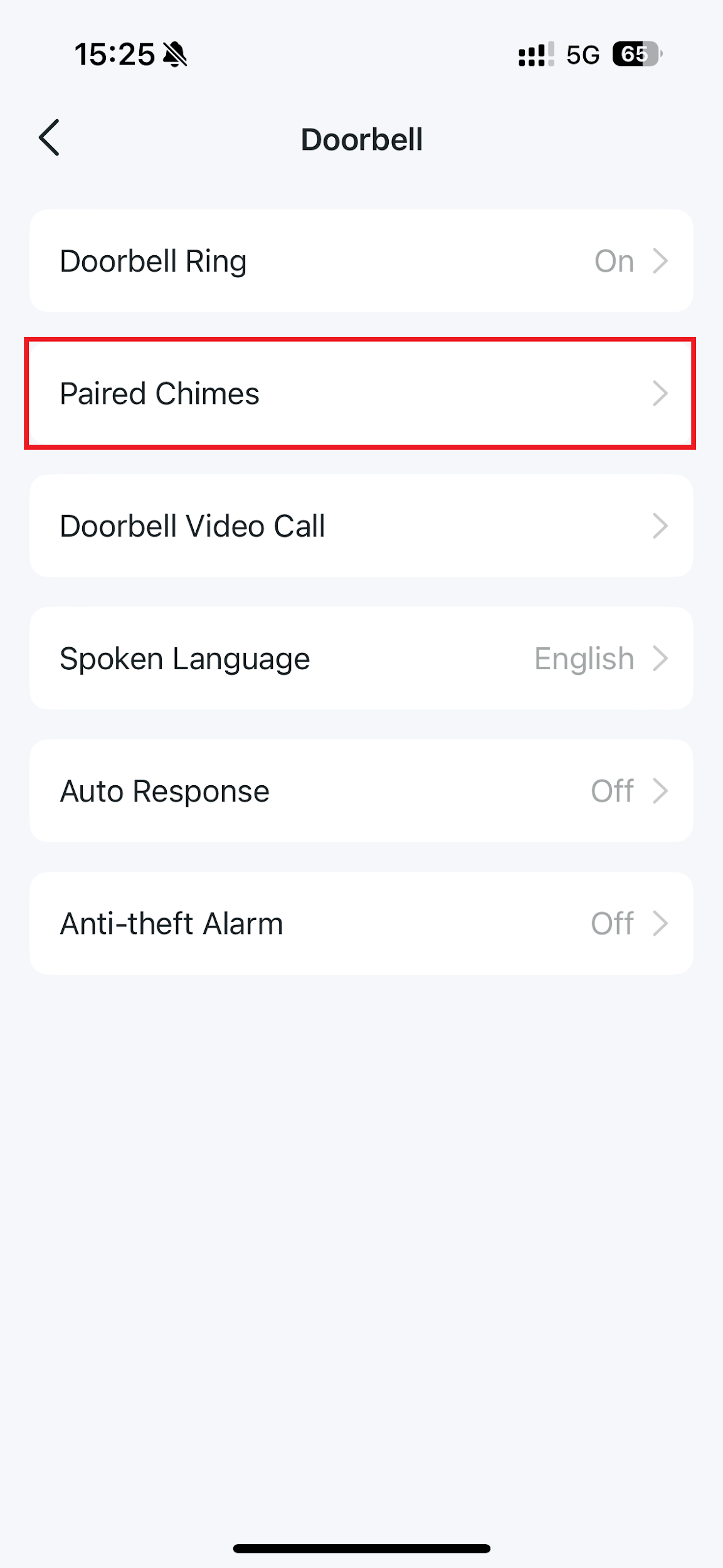
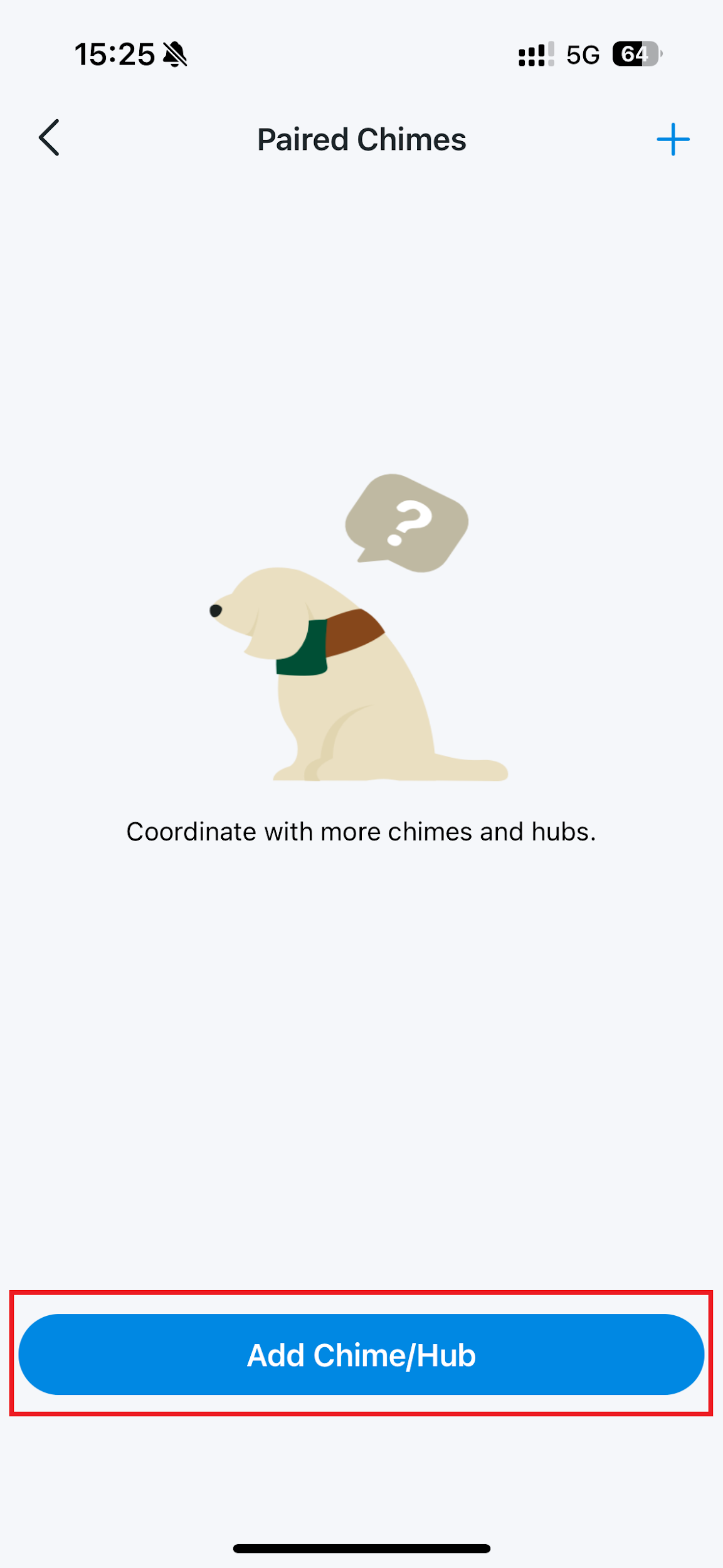
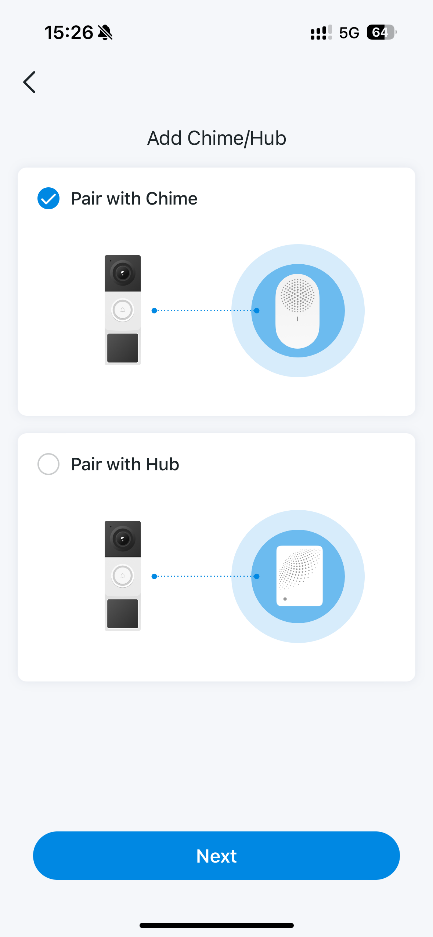
- Navigate to Doorbell > Paired Chimes > Add Chime/Hub. Select Tapo Chime or Tapo Hub, then complete the pairing instructions shown in the app.
Tapo Chime connects to your router over Wi-Fi rather than using a traditional wired connection. It can be placed anywhere in the home with Wi-Fi and Internet access, and supports both local and remote pairing with the Tapo Doorbell.
Tapo Hub can serve as a doorbell chime when running the latest Tapo Hub firmware.
Use an Alexa Echo or Google Assistant Speaker or Display
Currently, third-party chime pairing is limited to Alexa Echo speakers and displays and Google Assistant speakers and displays. Configuration must be completed on the corresponding third-party platform.
For an Alexa Echo speaker or display, follow these steps:
- Connect the Tapo service to Alexa using the instructions in the guide How to make my Tapo / Kasa device work with Amazon Alexa.
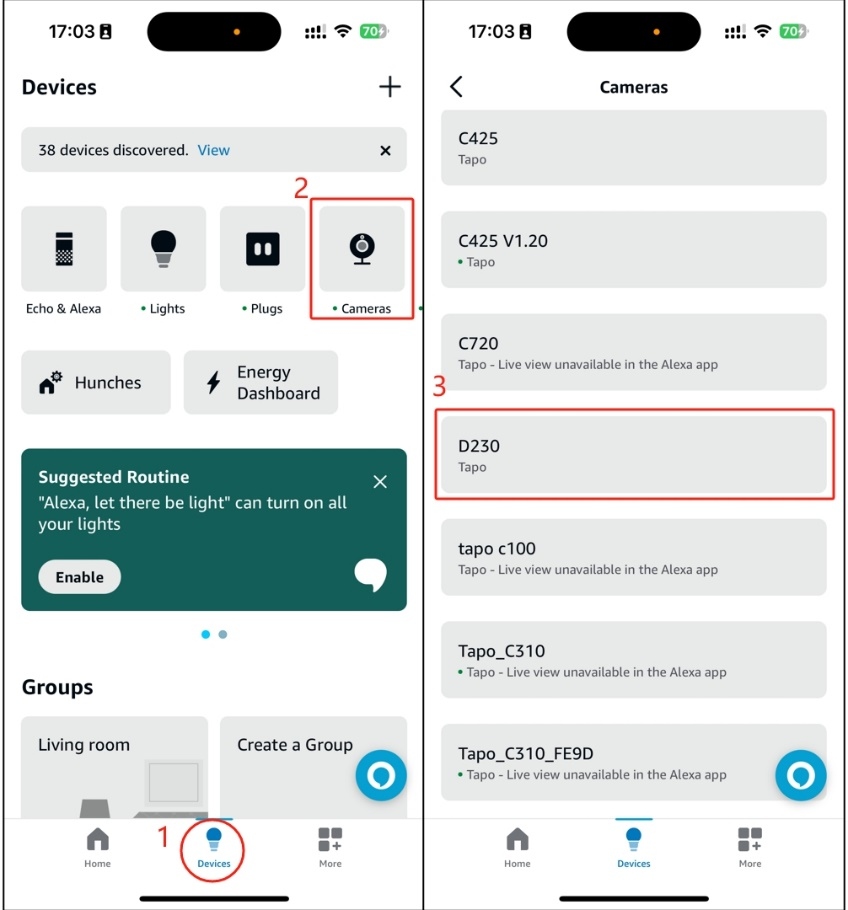
- Locate your Tapo Doorbell in the Alexa App.
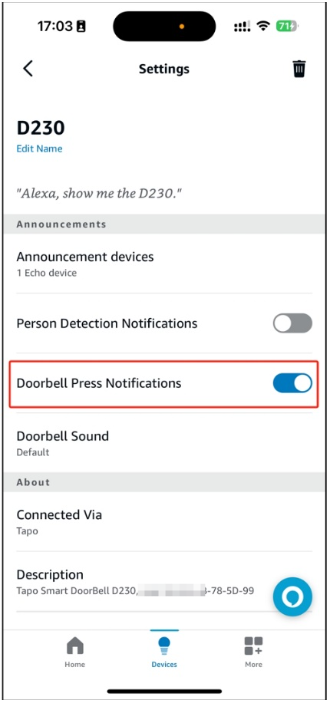
- Enable Doorbell Press Notifications.
Change the Ringtone and Volume
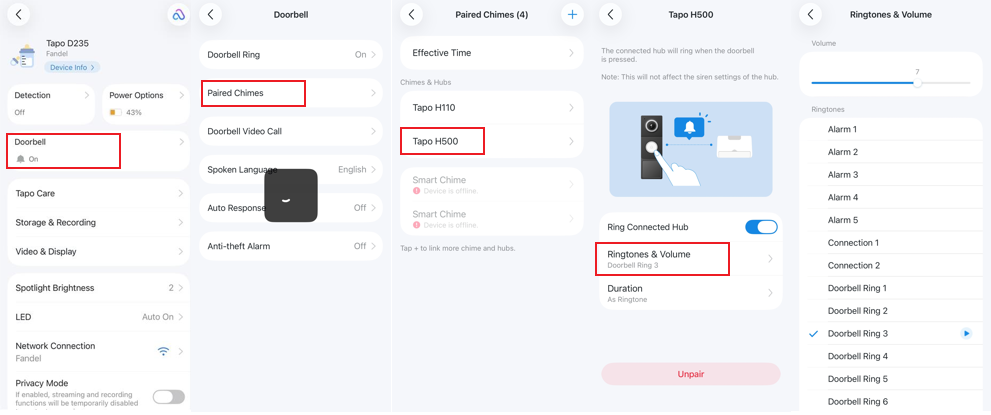
To adjust a connected Tapo Chime or Hub, follow Tapo app > Tap your Doorbell > Device Setting > Doorbell > Paired Chimes. Change Volume and choose a Ringtone.
For more information about individual features and configuration, download your product’s manual from the Download Center.